

Description
Stocky POS with Inventory Management Online Store and HRM Script
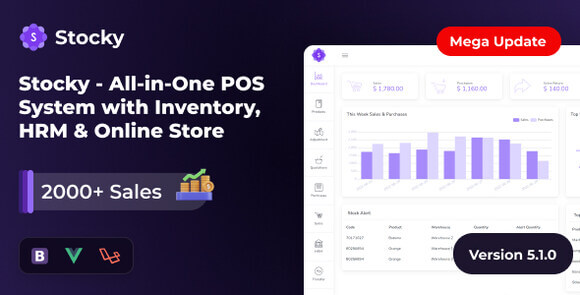
Stocky is a comprehensive, all-in-one point of sale (POS) system integrated with robust inventory management, an online store, and human resource management (HRM) capabilities. Designed for modern retail businesses, supermarkets, and multi-branch enterprises, this script provides a seamless way to manage sales, stock, employees, and customer orders from a single, unified dashboard.
Key Features
- Multi-Warehouse Inventory Management: Track stock levels across multiple locations in real-time with automatic alerts for low stock.
- Integrated Online Store: Launch your digital storefront instantly, allowing customers to browse products and place orders online.
- Complete HRM System: Manage employee attendance, payroll, departments, designations, and holiday calendars effortlessly.
- Advanced POS Terminal: A fast, responsive, and user-friendly point of sale interface with barcode scanning and multiple payment gateway integrations.
- Comprehensive Reporting: Generate detailed sales, purchase, profit/loss, and tax reports to make data-driven business decisions.
- Multi-Language & Multi-Currency: Fully localized to support global operations with custom currency and language settings.
System Requirements
To run this script smoothly, your server must meet the following requirements: PHP 8.1 or higher, MySQL 5.7+, BCMath PHP Extension, Ctype PHP Extension, Fileinfo PHP Extension, JSON PHP Extension, Mbstring PHP Extension, OpenSSL PHP Extension, PDO PHP Extension, and Tokenizer PHP Extension.
How to Install
1. Upload the zip file to your web server (cPanel or VPS) and extract it to your desired directory. 2. Create a new MySQL database and user through your hosting panel. 3. Access your domain in a web browser to launch the automatic installer wizard. 4. Follow the on-screen steps, enter your database credentials, and complete the setup. 5. Log in to the admin panel to configure your store settings, add products, and set up HRM profiles.
Original Source: Codecanyon
Stocky POS with Inventory Management Online Store and HRM Script
Manage your retail business with Stocky, an all-in-one POS, inventory, online store, and HRM script. Streamline sales and staff effortlessly.
Use Coupon
Hurry and get discounts on all Apple devices up to 20%
ASSET20
₹899.00 Original price was: ₹899.00.₹720.00Current price is: ₹720.00.

- Version
- Last Updated
- Framework
- Demo
- Latest
- May 2026
- Laravel
- Live preview
Payment Methods:
Description
Stocky POS with Inventory Management Online Store and HRM Script
Stocky is a comprehensive, all-in-one point of sale (POS) system integrated with robust inventory management, an online store, and human resource management (HRM) capabilities. Designed for modern retail businesses, supermarkets, and multi-branch enterprises, this script provides a seamless way to manage sales, stock, employees, and customer orders from a single, unified dashboard.
Key Features
- Multi-Warehouse Inventory Management: Track stock levels across multiple locations in real-time with automatic alerts for low stock.
- Integrated Online Store: Launch your digital storefront instantly, allowing customers to browse products and place orders online.
- Complete HRM System: Manage employee attendance, payroll, departments, designations, and holiday calendars effortlessly.
- Advanced POS Terminal: A fast, responsive, and user-friendly point of sale interface with barcode scanning and multiple payment gateway integrations.
- Comprehensive Reporting: Generate detailed sales, purchase, profit/loss, and tax reports to make data-driven business decisions.
- Multi-Language & Multi-Currency: Fully localized to support global operations with custom currency and language settings.
System Requirements
To run this script smoothly, your server must meet the following requirements: PHP 8.1 or higher, MySQL 5.7+, BCMath PHP Extension, Ctype PHP Extension, Fileinfo PHP Extension, JSON PHP Extension, Mbstring PHP Extension, OpenSSL PHP Extension, PDO PHP Extension, and Tokenizer PHP Extension.
How to Install
1. Upload the zip file to your web server (cPanel or VPS) and extract it to your desired directory. 2. Create a new MySQL database and user through your hosting panel. 3. Access your domain in a web browser to launch the automatic installer wizard. 4. Follow the on-screen steps, enter your database credentials, and complete the setup. 5. Log in to the admin panel to configure your store settings, add products, and set up HRM profiles.
Original Source: Codecanyon

Reviews
Clear filtersThere are no reviews yet.