




Description
Stackposts AI Social Media Management and Marketing SaaS Platform
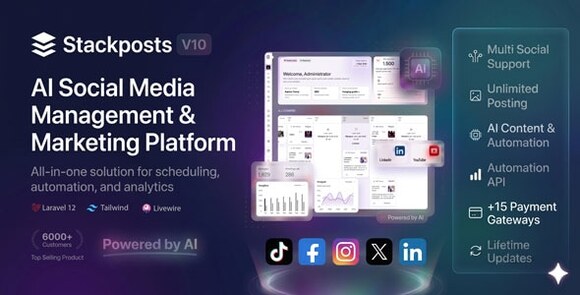
Stackposts AI is a robust and sophisticated social media management and marketing SaaS platform designed to streamline your digital presence. In today’s fast-paced digital landscape, managing multiple social media accounts can be overwhelming. Stackposts provides a centralized hub where you can schedule content, engage with your audience, and leverage artificial intelligence to create compelling posts that resonate with your followers. This platform is ideal for digital marketing agencies, freelancers, and business owners looking to automate their social media workflow.
What is Stackposts AI?
Stackposts AI is more than just a scheduling tool; it is a complete SaaS solution that allows entrepreneurs to start their own social media management business. It supports a wide range of platforms, including Facebook, Instagram, Twitter (X), LinkedIn, Pinterest, and more. With its integrated AI capabilities, users can generate high-quality text and image content, reducing the time spent on manual creation while maintaining a consistent posting schedule. The software is built with a user-friendly interface, making it accessible for both beginners and advanced marketers.
Key Features
- AI Content Generator: Utilize advanced AI models to generate captions, hashtags, and even image ideas for your social media posts instantly.
- Multi-Platform Scheduling: Plan and schedule your content across various social networks from a single, unified dashboard.
- SaaS Ready: Built-in subscription management and payment gateway integration to sell monthly or yearly plans to your customers.
- Advanced Analytics: Track the performance of your posts with detailed insights, engagement metrics, and reporting tools.
- File Manager: A comprehensive media library to store and organize your images and videos for easy access across all campaigns.
- Watermark Support: Automatically add your brand’s watermark to images to protect your content and increase brand awareness.
- Team Collaboration: Manage team members and assign specific permissions for different social media accounts and client projects.
Requirements
To ensure optimal performance, your server should meet the following requirements: PHP version 7.4 or higher, MySQL 5.6+, cURL extension enabled, OpenSSL, and support for Cron jobs for automated task execution. A Linux-based hosting environment like cPanel or DirectAdmin is highly recommended for the best experience.
How to Use and Install
Installing Stackposts AI is straightforward. First, upload the source files to your web server’s root directory. Create a new MySQL database and user through your hosting control panel. Navigate to your domain in a web browser to launch the automated installer. Follow the on-screen instructions to connect your database and set up your admin account. Once installed, you can begin configuring your social media API keys and setting up your subscription packages for users. After configuration, simply add your social accounts and start scheduling your first AI-powered campaign.
Original Source: Codecanyon
Stackposts AI Social Media Management and Marketing SaaS Platform
Manage all your social media accounts in one place with AI-powered scheduling and marketing tools. Perfect for agencies and SaaS owners.

Use Coupon
Hurry and get discounts on all Apple devices up to 20%
ASSET20
₹899.00 Original price was: ₹899.00.₹720.00Current price is: ₹720.00.
- Version
- Last Updated
- Framework
- Demo
- Latest
- April 2026
- PHP
- Live preview
Payment Methods:

Description
Stackposts AI Social Media Management and Marketing SaaS Platform
Stackposts AI is a robust and sophisticated social media management and marketing SaaS platform designed to streamline your digital presence. In today’s fast-paced digital landscape, managing multiple social media accounts can be overwhelming. Stackposts provides a centralized hub where you can schedule content, engage with your audience, and leverage artificial intelligence to create compelling posts that resonate with your followers. This platform is ideal for digital marketing agencies, freelancers, and business owners looking to automate their social media workflow.
What is Stackposts AI?
Stackposts AI is more than just a scheduling tool; it is a complete SaaS solution that allows entrepreneurs to start their own social media management business. It supports a wide range of platforms, including Facebook, Instagram, Twitter (X), LinkedIn, Pinterest, and more. With its integrated AI capabilities, users can generate high-quality text and image content, reducing the time spent on manual creation while maintaining a consistent posting schedule. The software is built with a user-friendly interface, making it accessible for both beginners and advanced marketers.
Key Features
- AI Content Generator: Utilize advanced AI models to generate captions, hashtags, and even image ideas for your social media posts instantly.
- Multi-Platform Scheduling: Plan and schedule your content across various social networks from a single, unified dashboard.
- SaaS Ready: Built-in subscription management and payment gateway integration to sell monthly or yearly plans to your customers.
- Advanced Analytics: Track the performance of your posts with detailed insights, engagement metrics, and reporting tools.
- File Manager: A comprehensive media library to store and organize your images and videos for easy access across all campaigns.
- Watermark Support: Automatically add your brand’s watermark to images to protect your content and increase brand awareness.
- Team Collaboration: Manage team members and assign specific permissions for different social media accounts and client projects.
Requirements
To ensure optimal performance, your server should meet the following requirements: PHP version 7.4 or higher, MySQL 5.6+, cURL extension enabled, OpenSSL, and support for Cron jobs for automated task execution. A Linux-based hosting environment like cPanel or DirectAdmin is highly recommended for the best experience.
How to Use and Install
Installing Stackposts AI is straightforward. First, upload the source files to your web server’s root directory. Create a new MySQL database and user through your hosting control panel. Navigate to your domain in a web browser to launch the automated installer. Follow the on-screen instructions to connect your database and set up your admin account. Once installed, you can begin configuring your social media API keys and setting up your subscription packages for users. After configuration, simply add your social accounts and start scheduling your first AI-powered campaign.
Original Source: Codecanyon
Reviews
Clear filtersThere are no reviews yet.